
Finding the perfect monitor is like choosing the right pair of glasses – get it wrong, and you’ll be squinting at your screen wondering why everything looks off. Get it right, and suddenly your digital world transforms into crisp, vibrant perfection.
Choosing the best monitor display for your PC doesn’t have to feel like deciphering ancient hieroglyphs. Whether you’re a competitive gamer chasing every millisecond advantage, a creative professional who lives and breathes color accuracy, or someone who just wants their Netflix binges to look spectacular, this comprehensive guide will help you navigate the maze of specifications and find your perfect digital window.
Understanding Panel Technologies: The Heart of Your Visual Experience
Think of panel technology as the engine of your monitor – it determines how your screen produces those gorgeous pixels you’ll be staring at for hours on end.
IPS (In-Plane Switching): The Crowd Pleaser
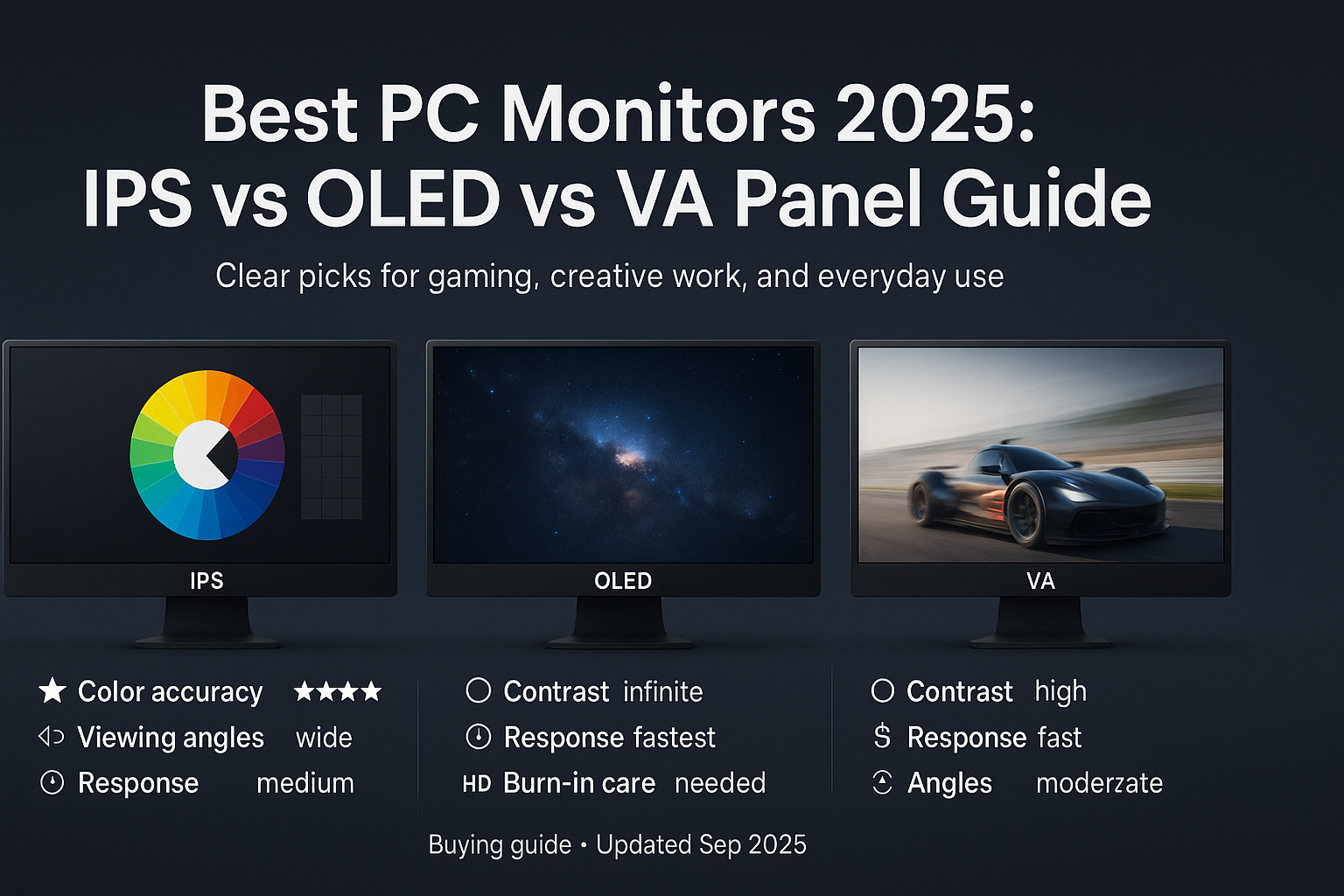
IPS panels are like that reliable friend who always looks good from every angle. Known for their exceptional color accuracy and wide viewing angles, these displays shine brightest when you need consistent, true-to-life colors. Whether you’re editing photos, working with graphics, or simply want a display that looks great whether you’re sitting dead center or off to the side, IPS delivers.
Best for: Photo editing, graphic design, general productivity, and situations where multiple people need to view the screen
The trade-off: Slightly slower response times compared to gaming-focused panels, though modern IPS monitors have largely closed this gap
VA (Vertical Alignment): The Movie Theater Experience
VA panels are the cinema enthusiasts of the monitor world. With their ability to produce deep, inky blacks and impressive contrast ratios, they create an immersive viewing experience that makes movies and games pop off the screen. However, they can struggle with motion clarity in fast-paced scenarios.
Best for: Movie watching, single-player gaming, and anyone who appreciates dramatic contrast in their visuals
The trade-off: Viewing angles aren’t quite as generous as IPS, and fast motion can sometimes appear less sharp
OLED (Organic Light-Emitting Diode): The Premium Champion
OLED represents the Rolls-Royce of display technology – when you see it, you know you’re looking at something special. Each pixel lights itself, creating perfect blacks, infinite contrast, and colors so vibrant they almost seem to glow. It’s the technology that makes you pause mid-sentence and just stare at how beautiful everything looks.
Best for: Premium gaming, professional content creation, and anyone willing to invest in the absolute best visual experience
The consideration: Higher price point and potential for burn-in with static images displayed for extended periods
TN (Twisted Nematic): The Speed Demon
TN panels might not win beauty contests, but they’re the sprinters of the monitor world. With lightning-fast response times and budget-friendly prices, they’re the go-to choice for competitive gamers who prioritize performance over pretty pictures.
Best for: Competitive gaming on a budget, situations where speed trumps color accuracy
The trade-off: More limited viewing angles and color reproduction compared to other technologies
Resolution and Size: Finding Your Sweet Spot
Choosing resolution is like picking the right lens for your camera – too little and you’ll see every pixel, too much and your graphics card might wave the white flag.
1080p (Full HD): The Reliable Workhorse
For 24-27 inch displays, 1080p remains a solid choice that balances performance with clarity. It’s the sweet spot for budget-conscious buyers or those with mid-range graphics cards who want smooth gaming without breaking the bank.
Ideal screen sizes: 24-27 inches
Perfect for: Budget builds, competitive gaming, general use
1440p (QHD): The Goldilocks Resolution
Here’s where things get interesting. 1440p at 27 inches hits that magical “just right” zone – sharp enough to make text crisp and detailed, but not so demanding that it’ll make your graphics card weep. It’s become the darling of the PC gaming community for good reason.
Ideal screen sizes: 27-32 inches
Perfect for: Gaming enthusiasts, productivity work, content consumption
4K (UHD): The Detail Devotee
4K is like having a magnifying glass for your digital life – everything becomes incredibly detailed and sharp. However, it demands serious graphics horsepower and works best on larger screens where you can truly appreciate all those extra pixels.
Ideal screen sizes: 27 inches and larger
Perfect for: Content creation, detailed work, future-proofing, and showing off to friends
Refresh Rate: The Smoothness Factor
Refresh rate is measured in Hertz (Hz) and determines how many times per second your monitor updates the image. Think of it as the difference between a flipbook and smooth animation.
60Hz: The Standard Bearer
Perfectly adequate for general use, office work, and casual gaming. It’s like driving the speed limit – gets you where you need to go without any fuss.
144Hz and Beyond: The Game Changer
Once you experience the buttery smoothness of high refresh rates, going back to 60Hz feels like watching life in slow motion. Modern gaming monitors commonly offer 144Hz, 165Hz, or even 240Hz+ for the truly speed-obsessed.
Pro tip: Higher refresh rates matter most in fast-paced games. If you’re primarily browsing the web and watching videos, you might not notice a huge difference.
Brand Spotlight: The Reliable Players
LG: The Consistent Performer
LG has earned its reputation through reliable build quality and innovative features. Their UltraGear gaming line and professional displays consistently receive praise from users who value longevity and performance.
Dell/Alienware: The Service Champions
Dell stands out not just for their monitor quality, but for their exceptional warranty and customer support. When something goes wrong (and occasionally it will), Dell’s support team typically makes things right.
Samsung: The Wild Card
Samsung offers some stunning displays, but quality can be inconsistent. Their high-end offerings often impress, but it’s worth reading specific model reviews before committing.
ASUS: The Gaming Specialist
ASUS brings serious gaming credentials to the table, though often at premium prices. Their Republic of Gamers (ROG) line frequently pushes the boundaries of gaming monitor technology.
Top Recommendations by Use Case
For Competitive Gaming
– LG UltraGear Series with high refresh rates and low input lag
– ASUS TUF Gaming Monitors for reliable performance without breaking the bank
– Samsung Odyssey Neo G7 for curved gaming immersion

- Essential QHD performance for any game: Explore detailed worlds in high definition with QHD resolution, fluid visuals, a…
- Dive into vibrant visuals: Whether you’re exploring open worlds or facing off in battle, you’ll never miss a detail with…
- Fluid performance: Get in the game with a smooth 180Hz refresh rate and 1ms gray to gray response time.
For Creative Professionals
- Dell UltraSharp Series for professional reliability
- BenQ SW Series specifically designed for photo editing
For General Use and Productivity
– LG 27GP850-B for a balanced gaming and work experience

- 27” QHD (2560 x 1440) Nano IPS Display.Mounting Type: Wall Mount.Power Consumption (Typ.) : 48W. Power Consumption (Max….
- Viewing Angle is 178˚(R/L), 178˚(U/D); Brightness is 320cd/m²; Aspect Ratio is 16:9
- IPS 1ms (GtG) Response Time and 165Hz Refresh Rate
– Dell UltraSharp U2723QE for crisp text and reliable performance

- Dell UltraSharp 27″ U2723QE computer monitor offers incredible color and superior black performance with a contrast rati…
- Dell U2723QE 27″ 16:9 4K UHD HDR IPS Monitor with USB Type-C Docking Featuring a 27″ In-Plane Switching (IPS) panel, thi…
- Vibrant Visuals: With Dell U2723QE Gaming Monitor Experience true-to-life colors with 100% Rec 709, 100% sRGB, and 98% D…
For Premium Gaming and Entertainment
– LG UltraGear OLED Series for the ultimate gaming experience

- 45” Display, 21:9 Aspect Ratio – With a huge 45” display, 21:9 aspect ratio and a dramatic curved OLED screen, you’ll fe…
- 12% Larger Screen – Size matters in OLED gaming. A 45″ 21:9 screen is 12% larger than a 49″ 32:9 display.
- MLA plus 275 nits – Micro Lens Array produces bright OLED gaming at 275 nits (typical) brightness.
– Dell Alienware QD-OLED for premium gaming with excellent support

- INFINITELY IMMERSIVE: Quantum Dot Display Technology enables a slim panel design and delivers a superior color performan…
- STUTTER-FREE SPEED: Experience ultra-low latency gameplay, support for HDR and cinematic color, plus smooth, tear-free g…
- IMPECCABLE DESIGN: The jaw-dropping new design features a sleek QD-OLED curved 1800R panel integrated into the iconic ne…
Shopping Smart: Expert Tips for Your Purchase
Do Your Homework
Before clicking “buy,” spend time on review sites like RTINGS.com, which provides detailed, unbiased testing data. Think of it as getting a second opinion before a major purchase.
Consider the Total Cost
Remember that a 4K monitor might require a graphics card upgrade, and that OLED beauty might need a more robust warranty plan. Factor in these additional costs when budgeting.
Think About Your Space
A 32-inch monitor sounds amazing until you realize your desk can barely fit a 24-inch display.
Measure twice, buy once.
Plan for the Future
Technology moves fast, but a good monitor should serve you well for 3-5 years. Consider buying slightly above your current needs if your budget allows.
Making Your Decision
Choosing the perfect monitor comes down to understanding your priorities and being honest about your needs.
Are you chasing competitive gaming glory?
Prioritize high refresh rates and low input lag.
Creating visual masterpieces?
Color accuracy and panel quality should top your list.
Just want something reliable for daily use?
Focus on size, resolution, and brand reliability.
Remember, the “best” monitor is the one that perfectly matches your specific needs and budget.
Whether you go with the crowd-pleasing versatility of IPS, the cinematic drama of VA, or the premium perfection of OLED, you’re entering an era where even budget monitors deliver impressive performance.
The monitor you choose will be your window to the digital world for years to come – make it count.
Happy shopping, and may your pixels always be perfectly crisp!